Push-ups
Hands down.
Head a little clearer.
 Unstuck
A little movement. A fresh start.
Another tab. Another scroll. Another prompt.
Give your brain a different way to begin.
Unstuck puts a quick set of reps between you and distracting apps, sites, and AI tools. An ADHD-friendly reset for your desktop.
Get UnstuckFor Mac, Windows & Linux All on your device
start with one.
A smaller first step
Set your own rules.
Let a little movement do the interrupting.
Pick the apps and sites that pull you away. Social feeds, video rabbit holes, even ChatGPT, Claude, or your AI coding tools.
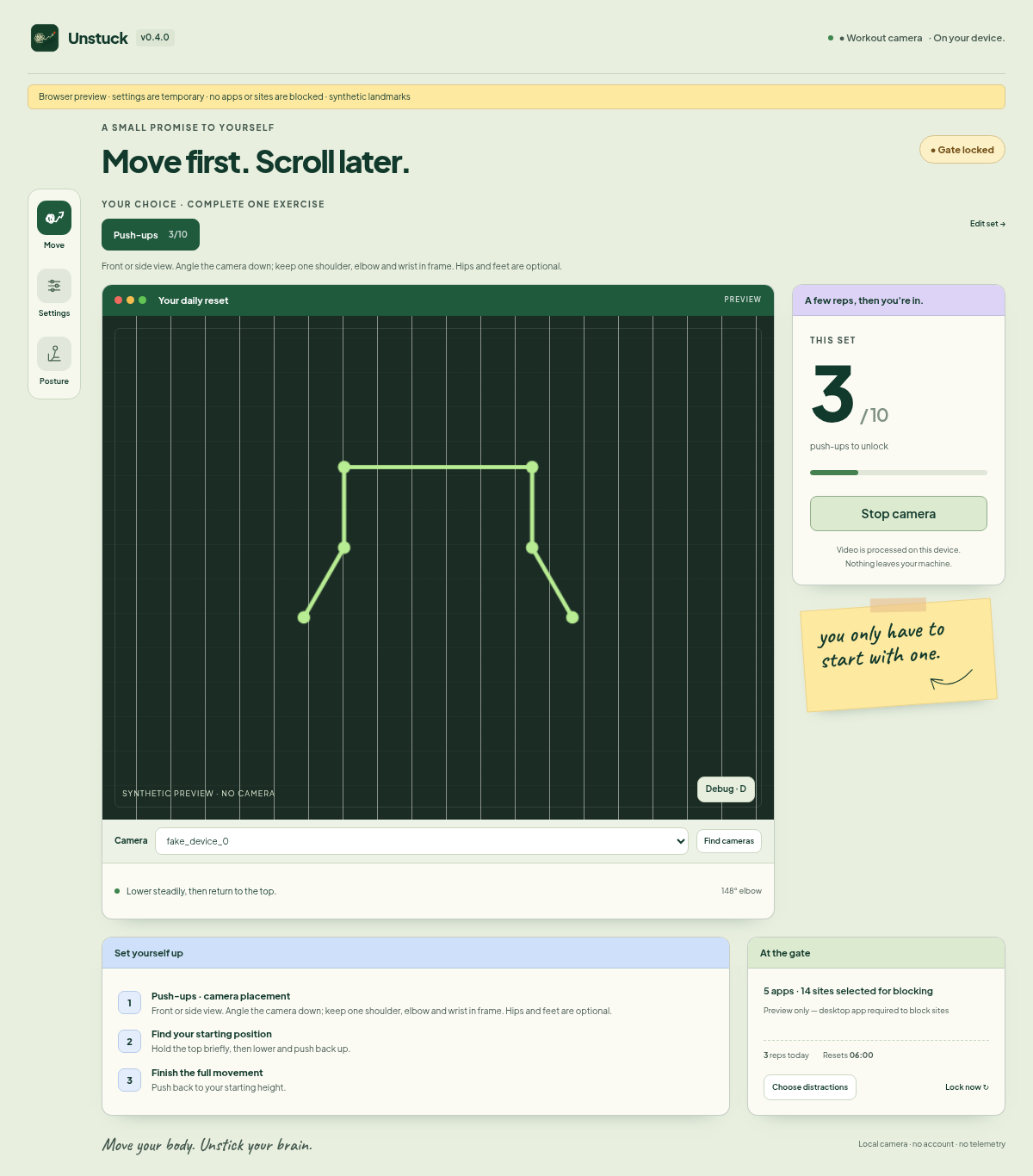
Choose your exercise and rep target. Turn on your camera and move. Unstuck counts your reps on your device.
Finish your set to unlock your distractions until the next daily reset. One small promise to yourself, kept.
Four ways to reset
Hands down.
Head a little clearer.
Step away from the chair.
Find your feet.
A little room on the floor.
A moment to reset.
Shake off the scroll.
Come back lighter.
Pick one exercise or combine a mixed set. Set reps that work for you, with an emergency unlock always available in Settings.
Optional posture mode
Deep in a task? Calibrate a comfortable upright position and let Unstuck remind you when you've been slouching for a while.
You choose the sensitivity, reminder delay, and quiet hours. Turn it off whenever you like.
Camera status is always visible in the tray.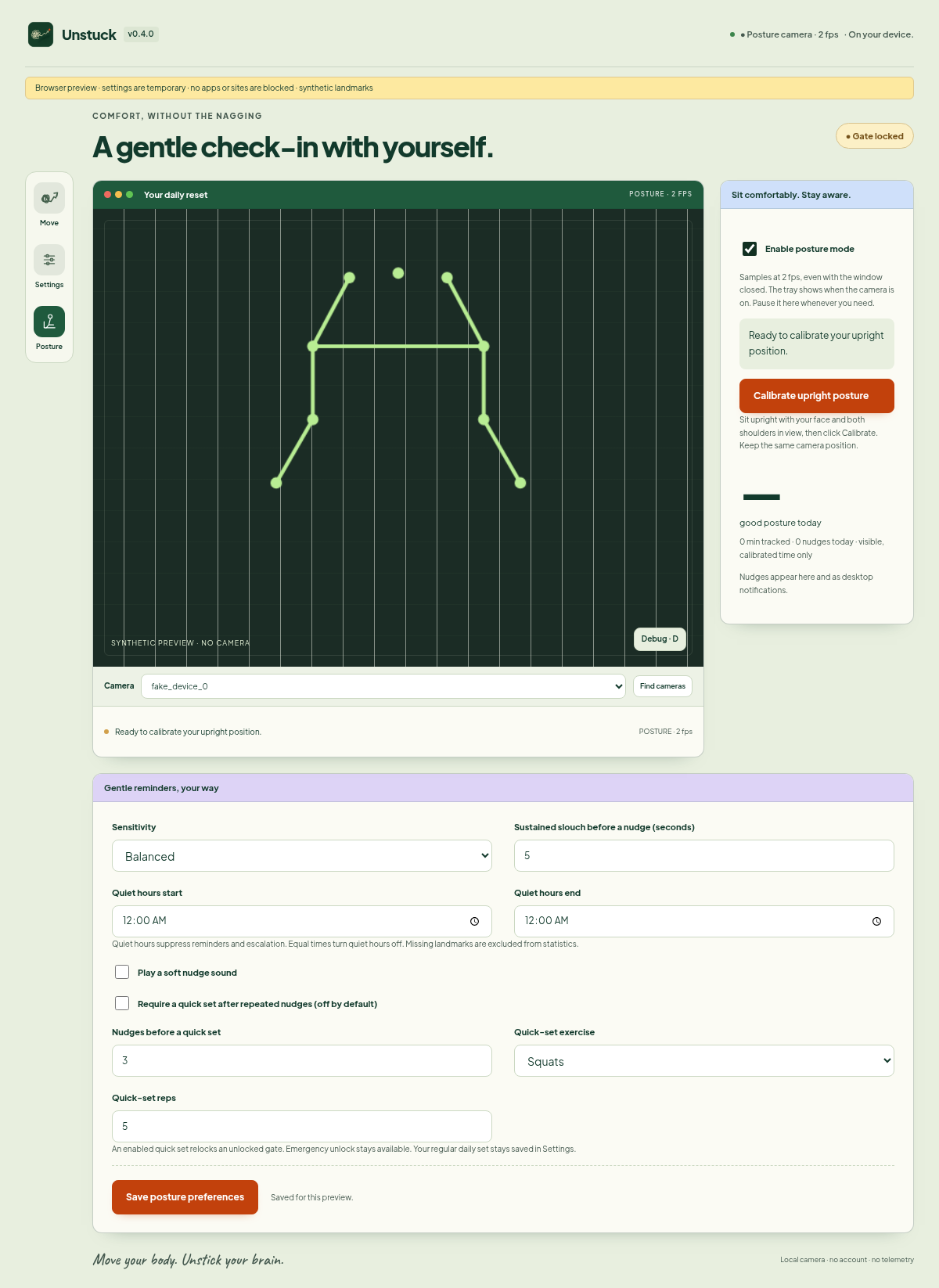
Fully local
Rep counting and posture checks happen on your device. The camera feed is never recorded or uploaded. The app works offline, with its model and fonts bundled in.
Read the privacy pageA few things to know
It's designed with distractible brains in mind: a clear rule, a small physical action, and an obvious finish. You don't need an ADHD diagnosis to use it. Unstuck is a wellness and focus tool, not a medical treatment.
You choose the apps and websites. Defaults include social feeds and AI tools such as ChatGPT, Claude, Cursor, and Codex. Selected apps are force-quit while locked, so save your work first. Site blocking uses your system's hosts file and needs administrator permission. Browser caches, VPNs, and proxies can affect it.
There's an emergency unlock in Settings. Choose an exercise and rep count that suit your body and available space. Camera counting can miss reps, so you can always get back to what you need.
Workout mode stops the camera when you finish or stop your set. Optional posture mode samples at 2 frames per second and continues in the tray while enabled. You can turn it off at any time, and the tray shows camera status.
Unstuck is a desktop app for macOS, Windows, and Linux. It needs a compatible camera for rep counting. Mac, Windows, and Linux downloads are below. The Mac build is signed with Apple Developer ID; the notarized version replaces it shortly, once Apple's review clears.
Closing the window keeps Unstuck running in the tray. Use Quit in the tray menu to stop it and remove its active blocking. There's no automatic startup or permanent lock.
Launch pricing · 50% off
$0 forever
During launch: everything unlocked. After Pro ships: push-ups + default block list.
$40 $19 / year
$80 $39 once
Pro for life, at the founding price. One payment, no subscription. Your license key goes to your checkout email when Pro launches this week. Until then, everything is unlocked.
Get founding lifetime, $39Everything is unlocked during launch. After that, founders keep Pro for life. 30-day no-questions refund.
Free download. Version 0.4.0. Runs locally, no account.
Desktop app. Open this page on your computer to download.
13.6 MB installer · .msi
Unsigned for now: if SmartScreen appears, click More info → Run anyway. Check the SHA-256 below first.
16.4 MB · AppImage
Ubuntu 22.04+ (other Debian-based distros likely work)
Apple Silicon & Intel · 31.5 MB · macOS 12+
Notarization is in Apple review. First open: right-click Unstuck, choose Open, then Open again. On macOS 15+, if it's blocked, go to System Settings → Privacy & Security → Open Anyway. Check the SHA-256 below first.
| File | Size | SHA-256 |
|---|---|---|
| Unstuck-windows-setup.exe | 13.6 MB | 552e49e0ab27280f403ba0bd446287e1370f0d35a94842f901e20f76bcbe7fcf |
| Unstuck-windows.msi | 14.8 MB | d380693a8b4ec33ad781eb6e7f7bb7ea1b11c9d527d8c12595c856f6c8307dfc |
| Unstuck-linux.deb | 16.4 MB | 436adc354968484a7d6275c65d5ed59801a8580c7bca1f9580c7e1829591daf1 |
| Unstuck-linux.AppImage | 94.7 MB | 522ec01ac009e426df577e53bc5d329d7cd0150b89a29192079c85d5767d2ea4 |
| Unstuck-mac-universal.dmg | 31.5 MB | 53eabbfb8dca3f2ab0efe1d30c197890c6507aa32871126a84a8a347ce02b826 |